Why do we need real-name authentication?
Real-name authentication makes the gaming environment safer. It helps protect minors, prevent account theft, and help you recover your account if needed. Complete the certification once and enjoy VALORANT MOBILE Full functionality.
Just follow the steps below to open it in WeChat Tencent Health System Just a small program.
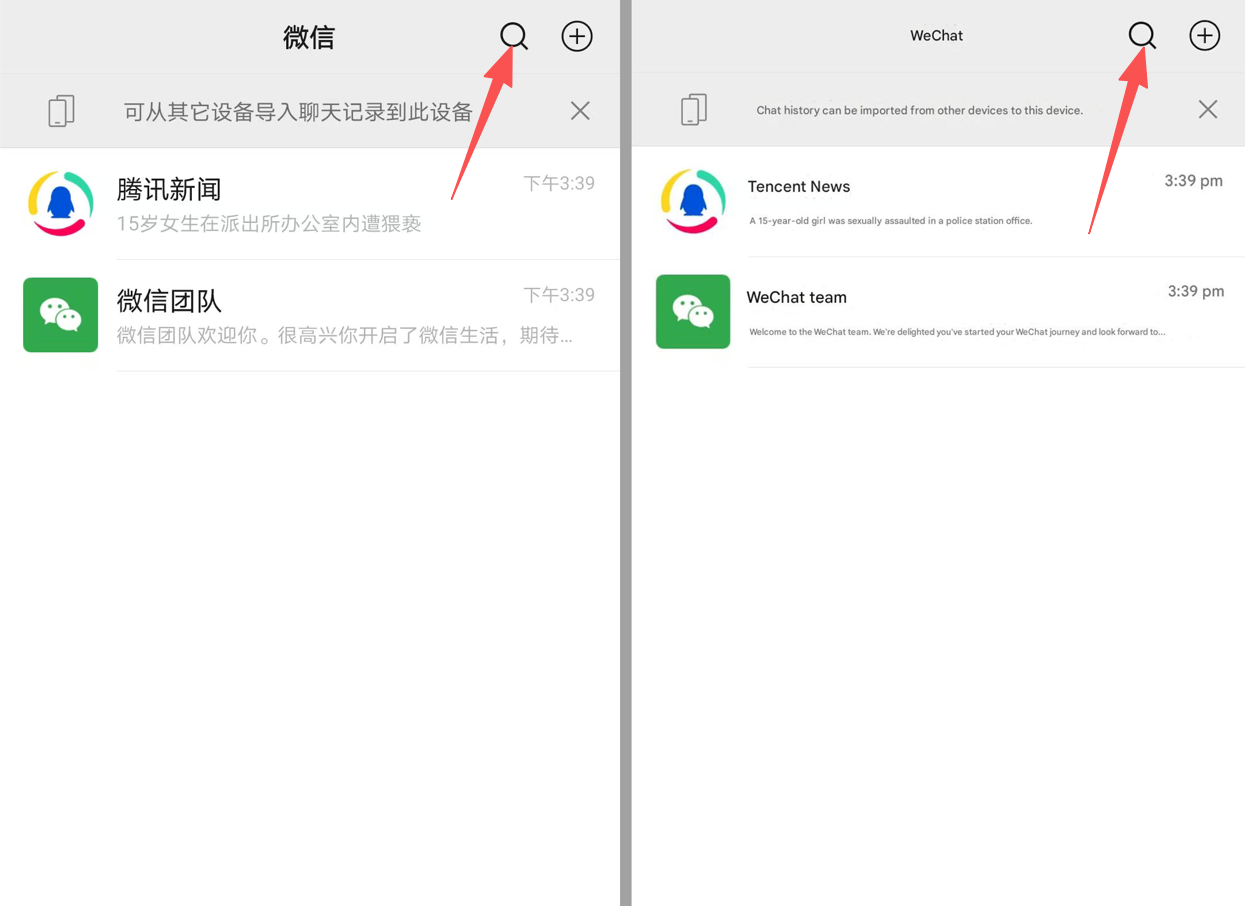
Open for login VALORANT MOBILE WeChat, click the search box at the top.
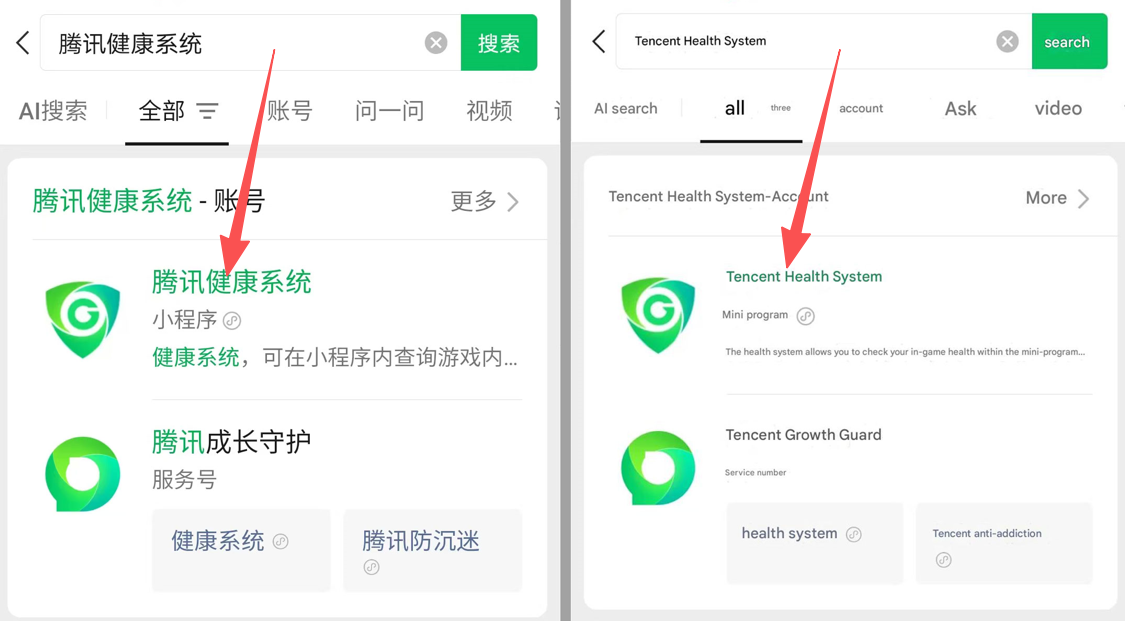
search “Tencent Health System” (You can copy this Chinese text directly), click on the mini program that appears below to enter.
3Tencent Health System Home Page
After entering the mini program, click “Real-name authentication query” 。
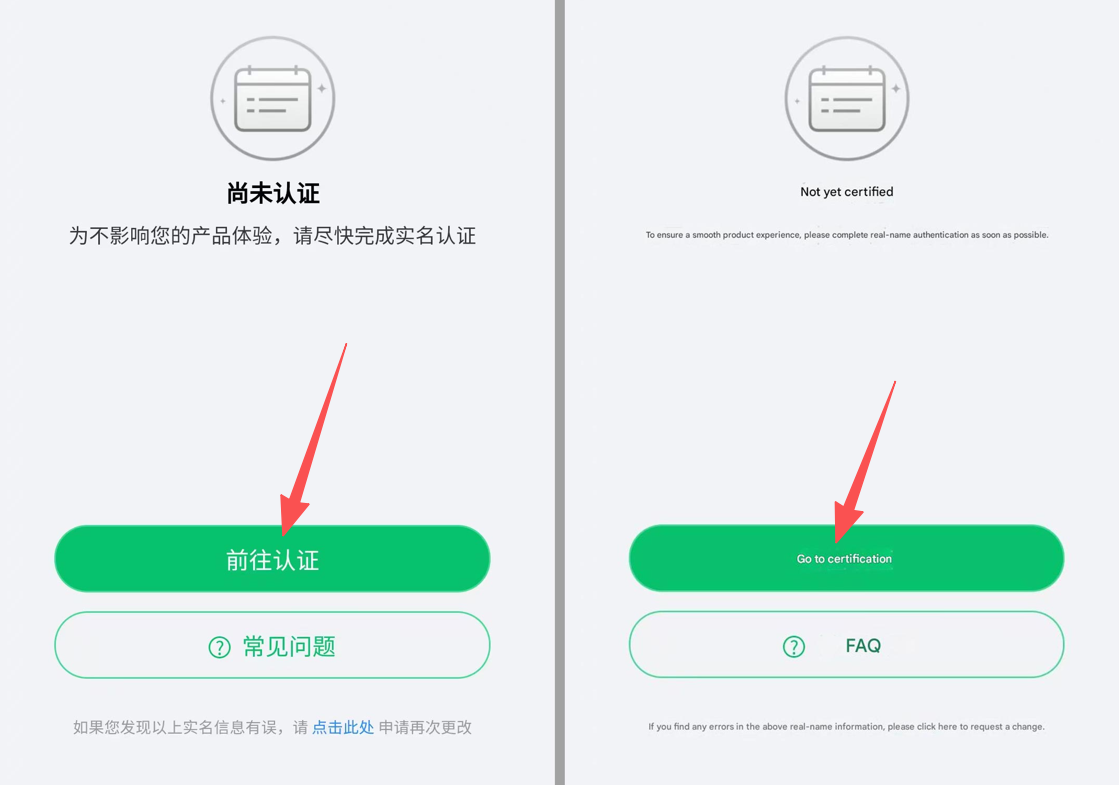
4Real-name authentication reminder page
Click “Go to certification” or “Perform certification” (The interface copy may be fine-tuned).
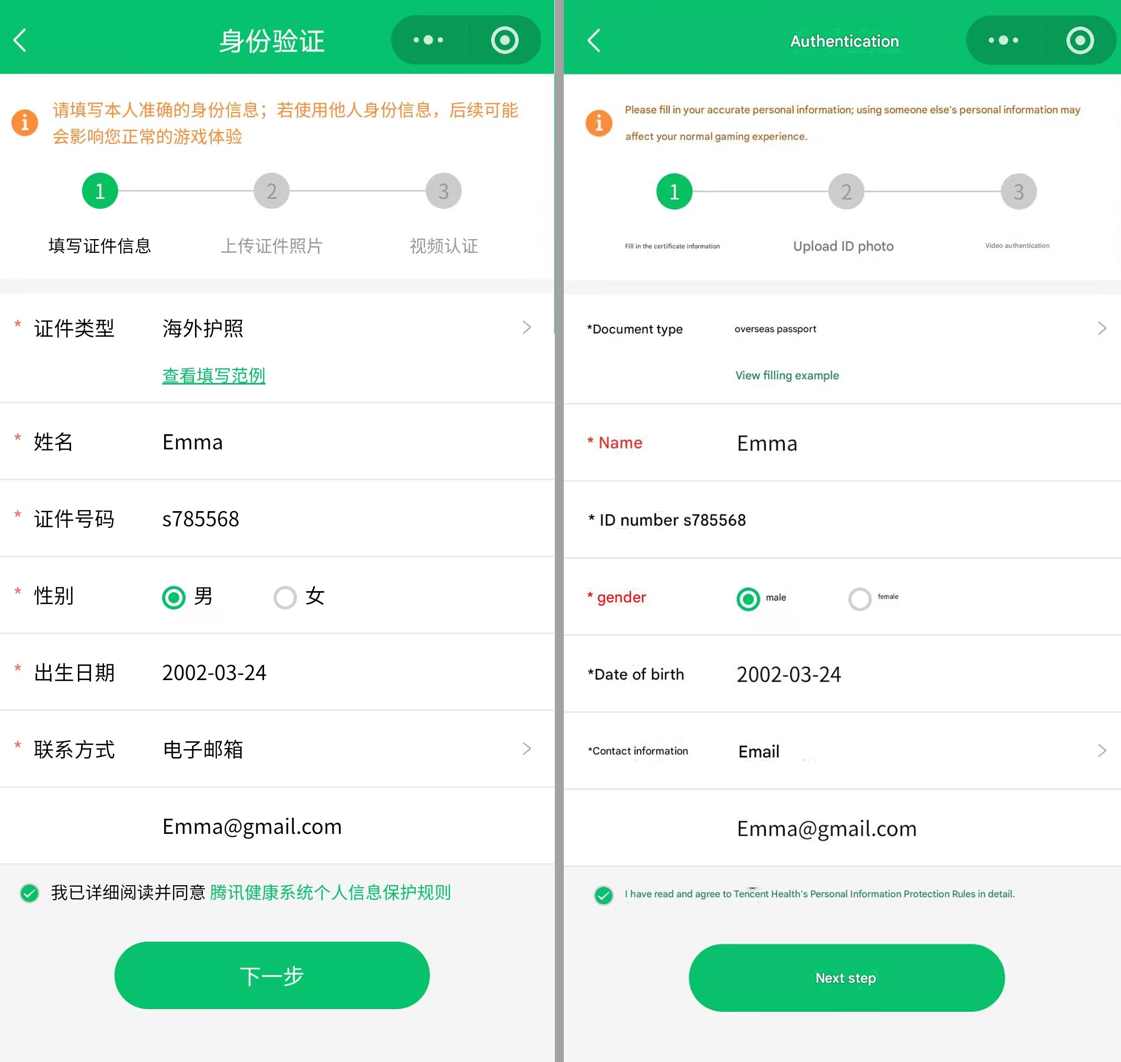
5Fill in the document information · Passport example
📄 Notes/Filling in rules
Depending on your document type, select the appropriate authentication document (such as an overseas passport).
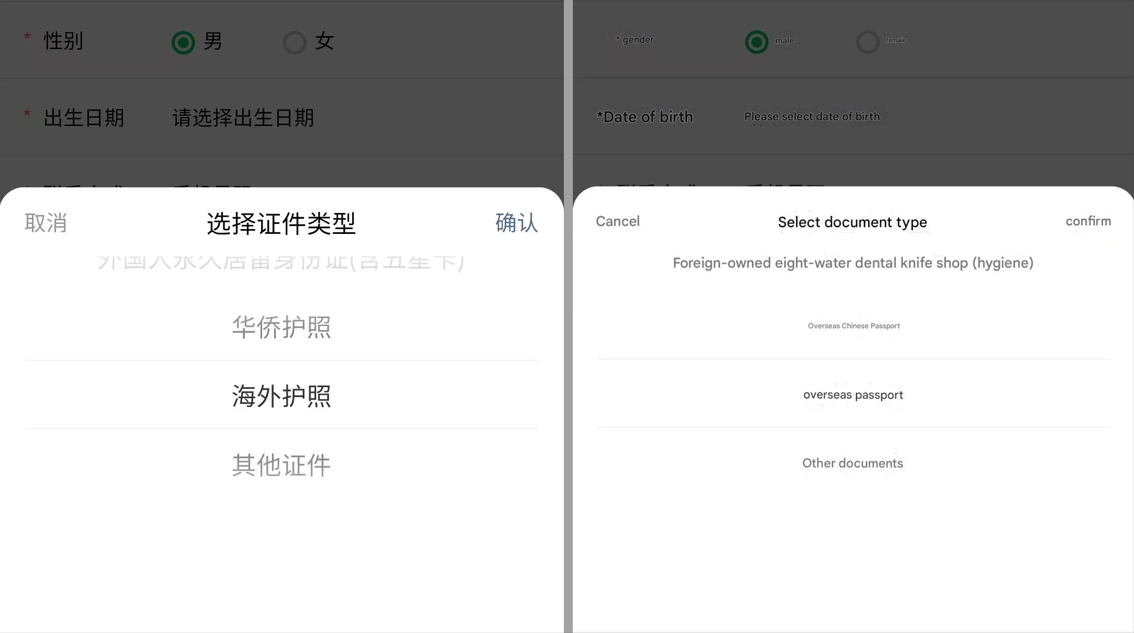
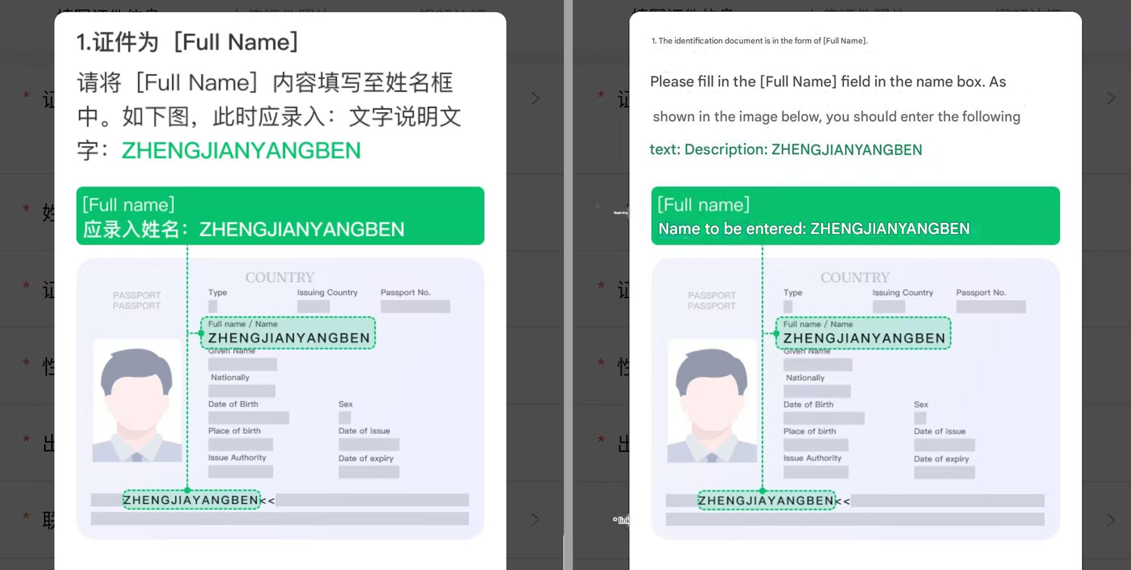
The system will provide a filling example. Please refer to the example to accurately fill in your name, ID number and other information.
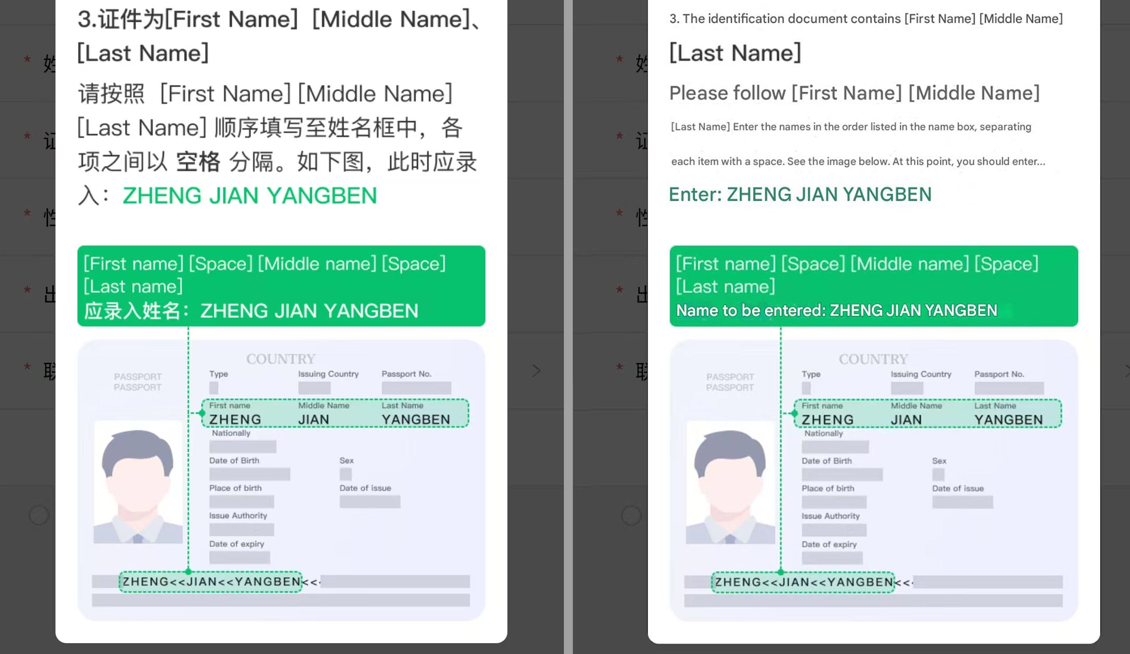
If the certificate is [Full Name] : Directly fill in the complete name into the name box.
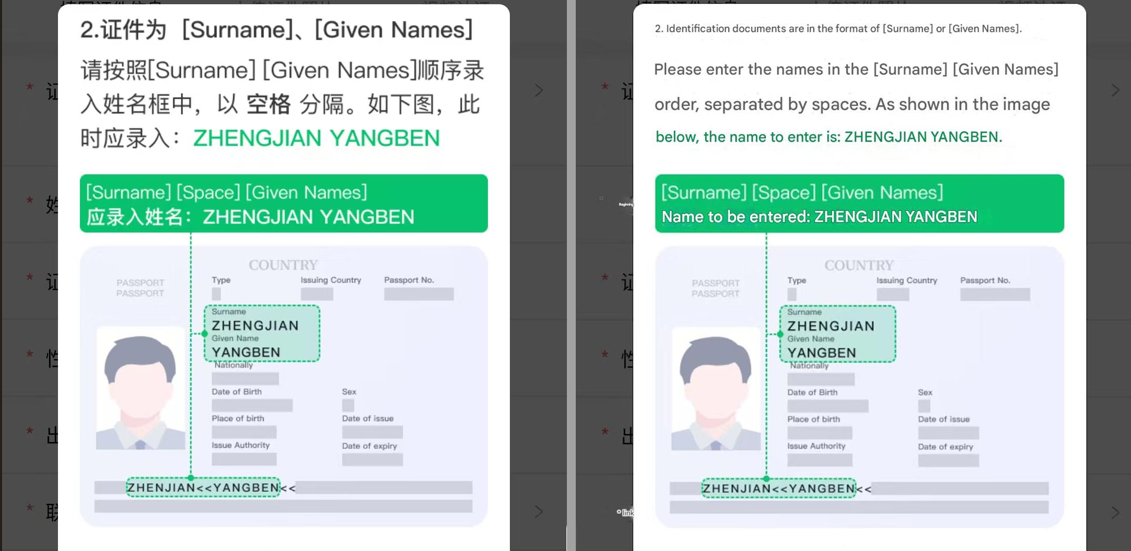
If the certificate is [Surname], [Given Names] : Fill in the "name" format, separated by spaces.
If the certificate is [First Name] [Middle Name], [Last Name] : Fill in the order of "first name, middle name, last name", separated by spaces.
6Fill in basic information
In the example, fill in the name as Emma, ID number a123456, date of birth 2002-03-24(Please replace it with your true information).
An email address (such as [email protected]) is required to receive review notifications.
The name and ID number must be case-sensitive and consistent with the original.
7Upload passport photo page
📸Photography requirements
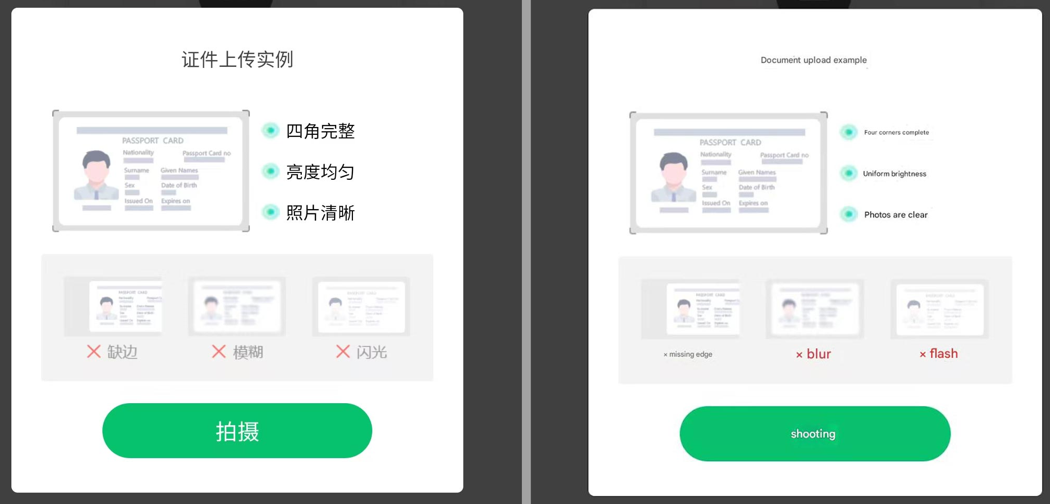
✅ The four corners are complete, the brightness is uniform, and the photo is clear
❌ Avoid: missing edges, blur, flash reflections
Make sure the passport information page is non-reflective and the text is readable.
8Portrait of person holding passport
🤳 Shooting specifications
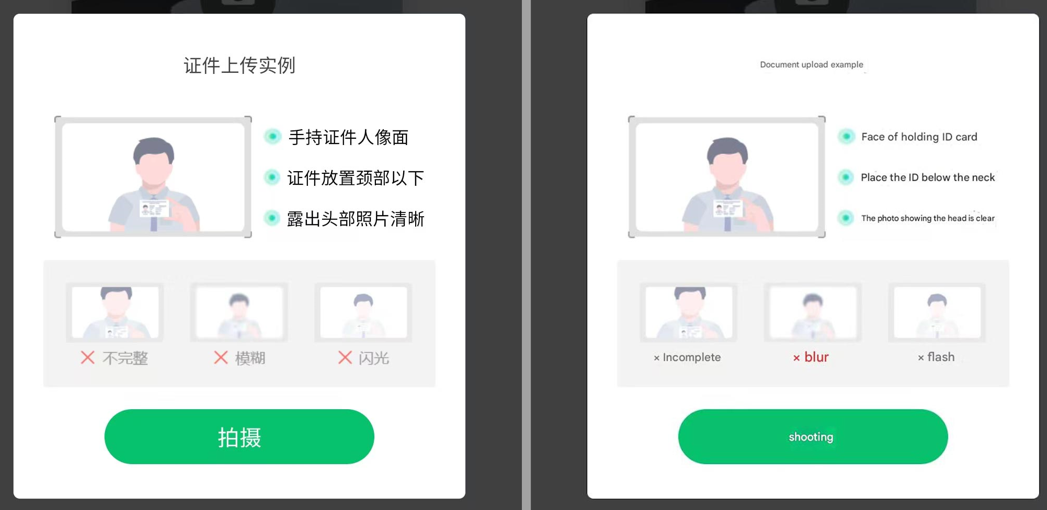
The ID should be placed below the neck, with the head exposed, and the photo should be clear.
Avoid incomplete, blurry, flashing or finger-obscuring ID information.
Make sure the holder’s face and passport photo are identifiable.
9Video verification instruction page
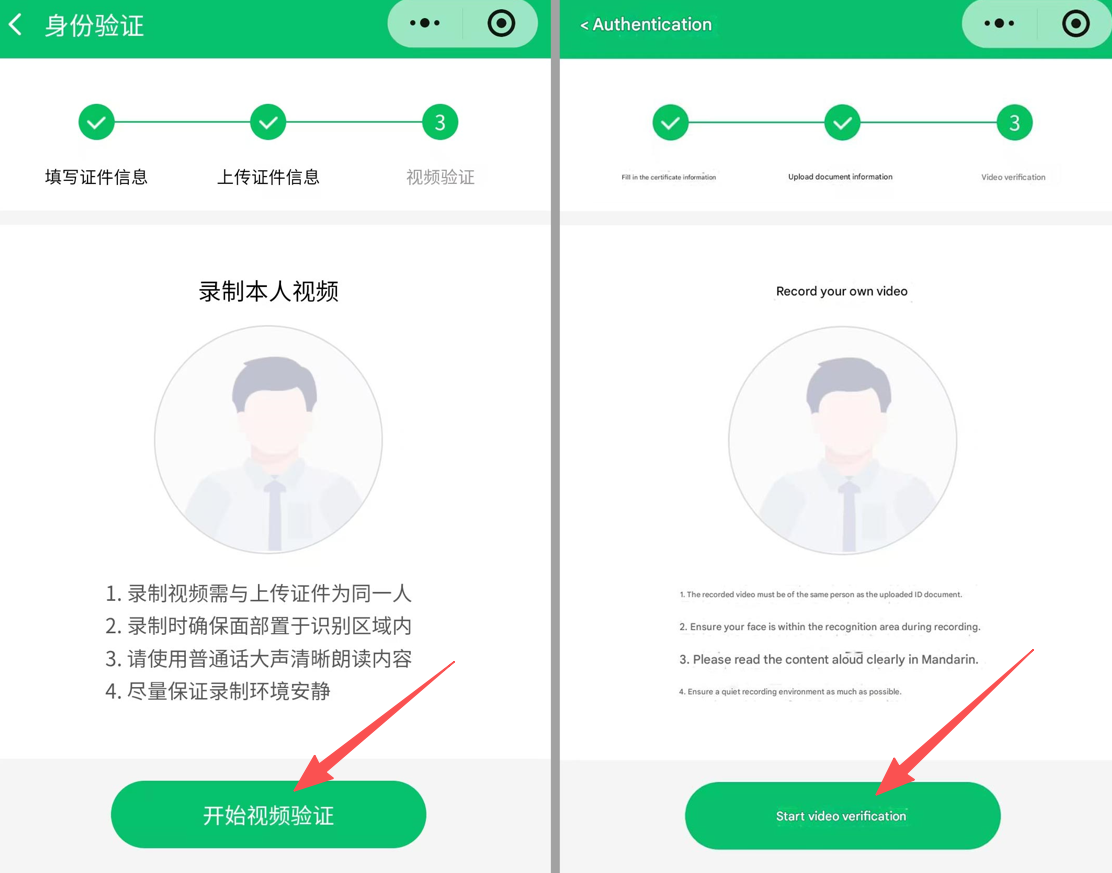
🎥 Things to prepare
1️⃣ The person recording the video and uploading the certificate must be the same person.
2️⃣ Make sure your face is placed within the recognition area when recording.
3️⃣ Read the content loudly and clearly in Mandarin.
4️⃣ Try to keep the recording environment as quiet as possible and with sufficient lighting.
💡 Before clicking "Start Video Verification", please confirm that the environment meets the requirements.
10Video recording & reading confirmation
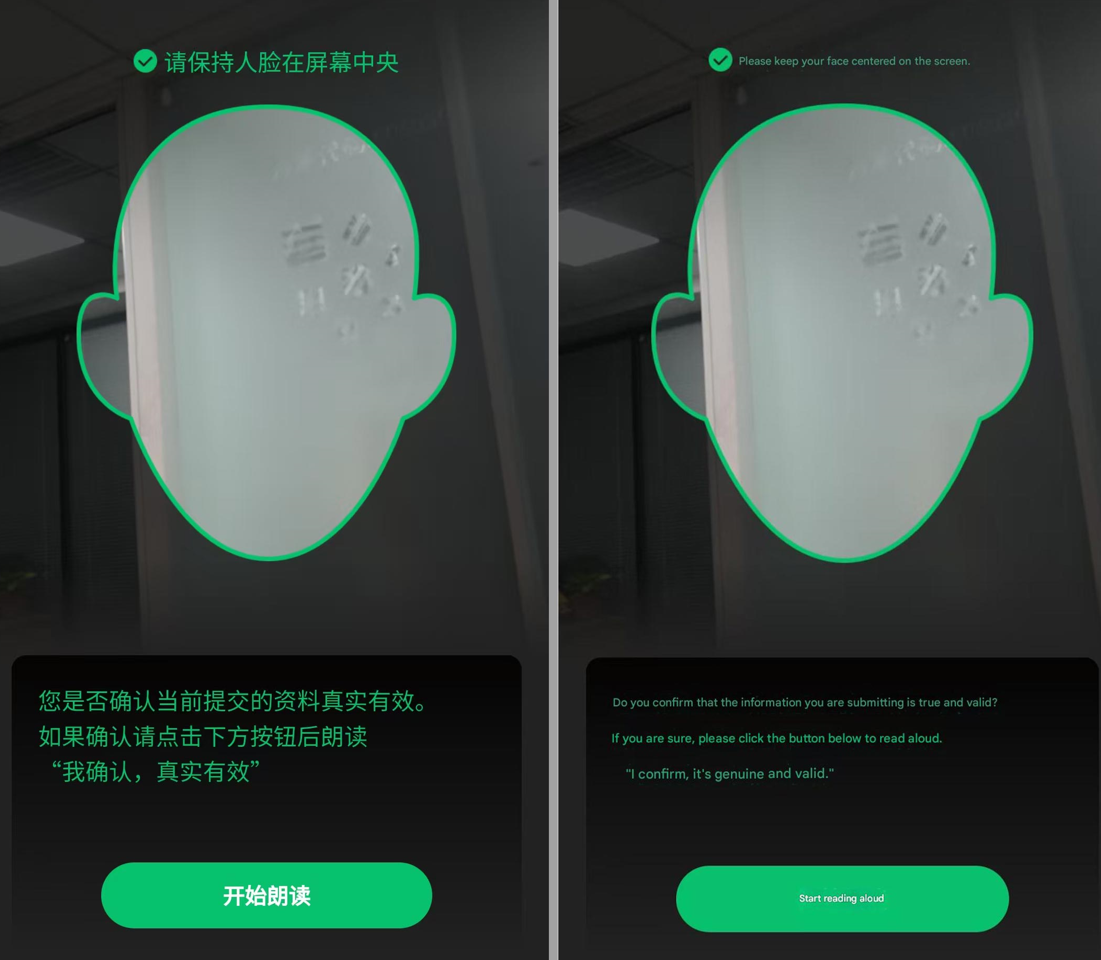
During the recording process, keep the person's face in the center of the screen without any obstruction.
To record a personal authentication video, you usually need to read a short Chinese sentence:
“I confirm that it is true and valid”
Pronunciation reference:WO QUE REN, ZHEN SHI YOU XIAO
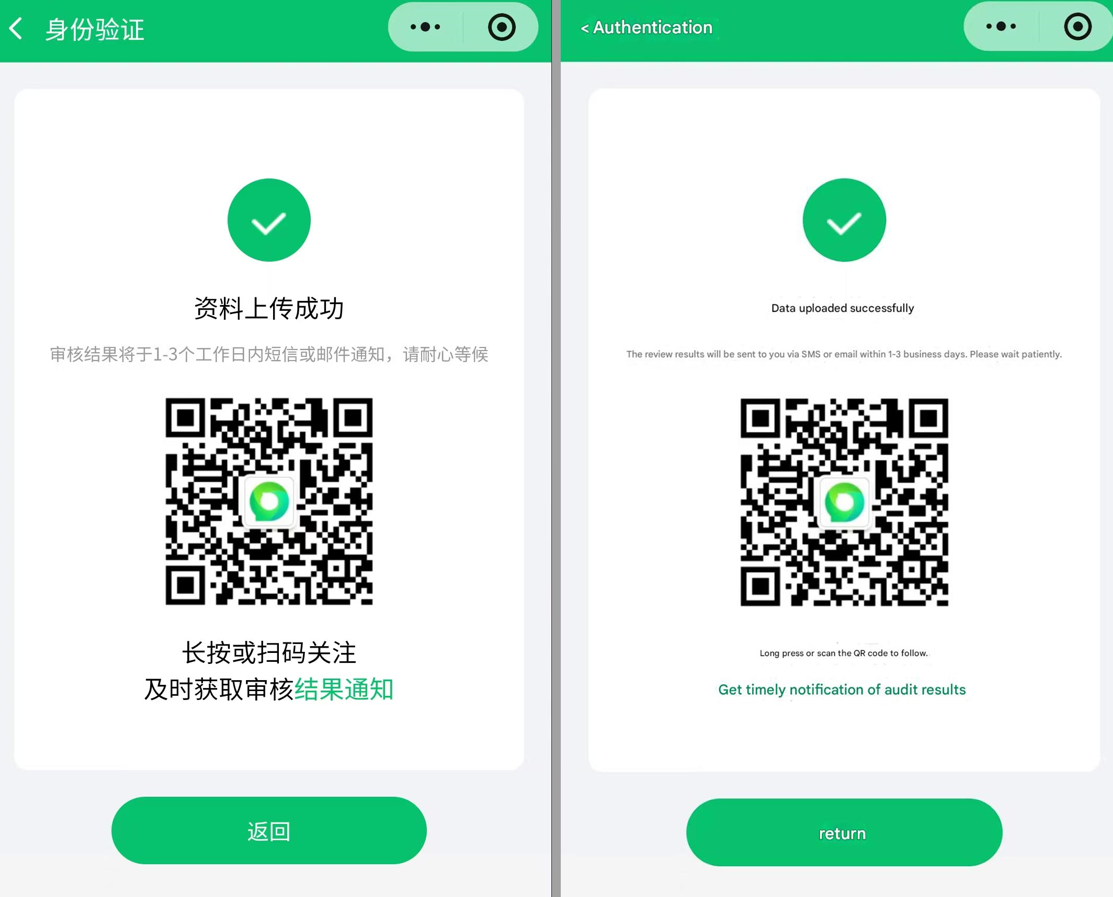
11Data uploaded successfully
✅ Review instructions
After the data is successfully uploaded, the review results will be Within 1-3 working days Notification via SMS or email.
You can long press or scan the QR code to follow the official notification channel and obtain the review results in a timely manner.
⚡ Please ensure that all submitted information is consistent with the original ID. Using other people's identity information may cause verification failure or affect the game experience.
VALORANT MOBILE certification relies on Tencent Health System. Overseas passport users should strictly refer to the examples to fill in the form.