


 极速发货
极速发货
 官方充值
官方充值
 交易安全
交易安全
类型
面值
Product Introduction
Product Name: Brawl Stars Brawl Pass
Product Type: Membership/VIP Service
Recharge Type: Brawl Pass
Game Server: Mainland China
Recharge Method: Official Brawl Stars Recharge (Contact customer service after payment)
Brawl Pass Recharge Instructions
1. This product provides the Brawl Pass service for Brawl Stars, granting season‑exclusive rewards and privileges upon activation;
2. Both iOS and Android users can purchase through 94LIVES at the same price;
3. After placing the order and completing payment, please contact online customer service, who will assist you in activating the Brawl Pass.
How to Activate Brawl Pass on 94LIVES? Detailed Steps:
Step 1: Visit 94LIVES
Open your browser and go to the official 94LIVES website, enter "Brawl Pass" in the search bar or go directly to the relevant product page.
Step 2: Select Brawl Pass Plan
94LIVES offers various Brawl Pass plans (specific plans are shown on the page).
Step 3: Fill in Purchase Information
Enter your Brawl Stars game account (usually linked Supercell ID or in‑game tag) and confirm the account is correct.
Important: Please double-check your account information. Brawl Pass activation is processed through official channels to prevent failures due to incorrect account numbers.
Step 4: Select Payment Method and Complete Payment
Choose the appropriate currency and payment method based on your region. 94LIVES supports multi-currency payments, and the system automatically converts at international exchange rates. After payment, the order enters processing.
Step 5: Contact Customer Service to Activate Brawl Pass
After successful payment, please contact 94LIVES online customer service with your order number and account information. Customer service will process your request, and the Brawl Pass privileges will usually take effect within 1-10 minutes.
Delivery Method
1. After payment, contact customer service and the Brawl Pass will usually take effect within 1-10 minutes;
2. Customer service prioritizes paid orders to ensure fast activation;
3. If activation is delayed due to a high volume of orders, please contact online customer service for priority handling.
Brawl Pass Purchase Precautions
Account Security and Risk Warning
Account Information Protection: Official purchase channels will never ask for unnecessary information. If you encounter such requests, stop immediately;
Please use official channels to purchase the Brawl Pass to ensure account security;
Before purchasing, confirm that your game account can be logged into normally to avoid affecting activation.
Information Verification and Error Handling
Information Accuracy: Carefully check your account information to avoid activation failure due to incorrect entry;
Error Handling Mechanism: If an activation error occurs due to 94LIVES platform reasons, it can be returned after verification;
Activation Time: After contacting customer service, the Brawl Pass usually takes effect within 1-10 minutes. If delayed, contact customer service again.
About Brawl Stars and Brawl Pass
Brawl Stars is a fast‑paced multiplayer mobile game where players can experience various modes, collect and upgrade Brawlers.
Brawl Pass is a season‑exclusive benefit service that unlocks bonus rewards, skins, emotes, and more, enhancing the gameplay experience.
Main Uses of Brawl Pass
1. Unlock season‑exclusive skins, emotes, and Brawlers;
2. Obtain extra rewards such as coins, Power Points, and boxes;
3. Complete Brawl Pass quests to accelerate season progress;
4. Enjoy season privileges and exclusive challenges.
Platform Usage Restrictions
Applicable Scope: This Brawl Pass applies to the Mainland China server of Brawl Stars;
Usage Restrictions: Brawl Pass privileges are only for the purchasing account and cannot be transferred or shared;
Device Compatibility: Supports iOS and Android.
Frequently Asked Questions (FAQ)
Q1: What if the Brawl Pass is not activated after purchase?
A: Please confirm that you have contacted online customer service and provided your order number. If you have contacted them and it is still not activated, contact customer service again.
Q2: Can I get a return if I entered the wrong account?
A: If the activation error is caused by the 94LIVES platform, a return can be processed after verification. Please double-check your account to avoid activation failure due to incorrect entry.
Q3: Is there a price difference between iOS and Android users?
A: Through 94LIVES, all users enjoy the same price with no extra fees.
Q4: What security precautions should I take during purchase?
A: Ensure you are operating in a secure network environment, double-check your account before payment, and keep transaction screenshots for reference.
Q5: How are 94LIVES Brawl Pass prices determined?
A: 94LIVES product pricing follows market principles. The final selling price consists of product cost, platform service fees, payment channel fees, taxes, etc., ensuring transparent and reasonable pricing.
Q6: Can I renew the Brawl Pass after it expires?
A: Yes, you can purchase a renewal through 94LIVES again after your Brawl Pass expires.
What payment methods does 94LIVES support?
Global Payment Methods
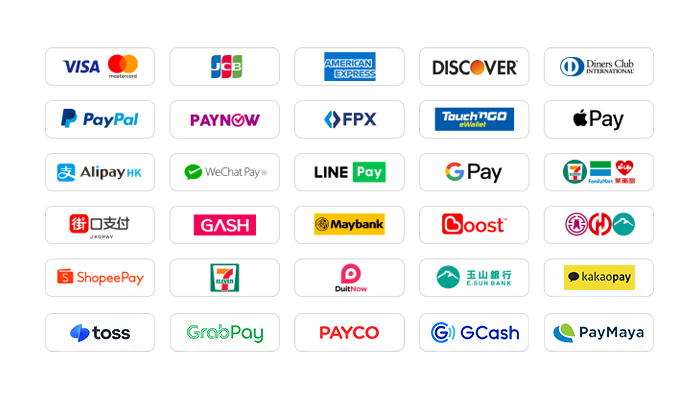
1. International Credit/Debit Cards: Supports Visa, Mastercard, American Express (AMEX), Dinner, Discover, and other global card networks.
2. PayPal: Globally used third-party payment platform, supports PayPal wallet and PayPal card payments.
3. Apple Pay / Google Pay: Supports quick biometric payments via mobile wallet.
4. Hong Kong Local Payments: Supports AlipayHK and WeChat Pay HK for convenient mobile payment.
5. Malaysia Local Payments: Touch 'n Go, FPX, DuitNow, ShopeePay, etc. TNG currently enjoys a limited-time 30% fee discount.
6. Singapore Local Payments: Paynow supports major Singapore banks, with a limited-time 30% fee discount.
7. Other Country Locals: Supports South Korea (KaKaoPay, Toss, PayCo), Cambodia, Thailand (TrueMoney, LINE Pay, ShopeePay), Pakistan (Easypaisa, JAZZCASH), etc.
The website adds/updates payment methods in real time to support more local payments.
What currencies does 94LIVES support?
94LIVES serves over 220 countries and regions worldwide. Product prices are mainly displayed in USD, while supporting multiple major currencies:
Major Currencies: USD, AUD, EUR, GBP, CAD;
Asian Currencies: HKD, MYR, TWD, SGD;
Automatic Exchange Rate Conversion: Exchange rates are automatically adjusted according to international exchange rates, and the system automatically converts to USD or local currency for payment.
Coverage Regions
94LIVES services cover major countries and regions worldwide, including:
Americas: United States, Canada, Brazil
Europe: United Kingdom, Germany, France, Italy, Netherlands, Switzerland, Denmark, Ireland
Asia-Pacific: Australia, Japan, South Korea, Singapore, Malaysia, New Zealand
Other Regions: South Africa, etc.
Customer Support
24/7 Online Customer Service: Available around the clock to answer questions and handle payment and Brawl Pass activation issues.
After-sales Guarantee: A comprehensive after-sales service system ensures a reliable Brawl Pass purchase experience.
Processing Time: After contacting customer service, the Brawl Pass usually takes effect within 1-10 minutes.
By activating the Brawl Pass through 94LIVES, users not only enjoy a convenient payment experience but also avoid exchange rate losses and payment barriers. The platform's professional services and multiple protection mechanisms ensure users can activate the Brawl Pass safely and efficiently, focusing on the competitive fun of Brawl Stars.
Product Introduction
Product Name: Brawl Stars Brawl Pass
Product Type: Membership/VIP Service
Recharge Type: Brawl Pass
Game Server: Mainland China
Recharge Method: Official Brawl Stars Recharge (Contact customer service after payment)
Brawl Pass Recharge Instructions
1. This product provides the Brawl Pass service for Brawl Stars, granting season‑exclusive rewards and privileges upon activation;
2. Both iOS and Android users can purchase through 94LIVES at the same price;
3. After placing the order and completing payment, please contact online customer service, who will assist you in activating the Brawl Pass.
How to Activate Brawl Pass on 94LIVES? Detailed Steps:
Step 1: Visit 94LIVES
Open your browser and go to the official 94LIVES website, enter "Brawl Pass" in the search bar or go directly to the relevant product page.
Step 2: Select Brawl Pass Plan
94LIVES offers various Brawl Pass plans (specific plans are shown on the page).
Step 3: Fill in Purchase Information
Enter your Brawl Stars game account (usually linked Supercell ID or in‑game tag) and confirm the account is correct.
Important: Please double-check your account information. Brawl Pass activation is processed through official channels to prevent failures due to incorrect account numbers.
Step 4: Select Payment Method and Complete Payment
Choose the appropriate currency and payment method based on your region. 94LIVES supports multi-currency payments, and the system automatically converts at international exchange rates. After payment, the order enters processing.
Step 5: Contact Customer Service to Activate Brawl Pass
After successful payment, please contact 94LIVES online customer service with your order number and account information. Customer service will process your request, and the Brawl Pass privileges will usually take effect within 1-10 minutes.
Delivery Method
1. After payment, contact customer service and the Brawl Pass will usually take effect within 1-10 minutes;
2. Customer service prioritizes paid orders to ensure fast activation;
3. If activation is delayed due to a high volume of orders, please contact online customer service for priority handling.
Brawl Pass Purchase Precautions
Account Security and Risk Warning
Account Information Protection: Official purchase channels will never ask for unnecessary information. If you encounter such requests, stop immediately;
Please use official channels to purchase the Brawl Pass to ensure account security;
Before purchasing, confirm that your game account can be logged into normally to avoid affecting activation.
Information Verification and Error Handling
Information Accuracy: Carefully check your account information to avoid activation failure due to incorrect entry;
Error Handling Mechanism: If an activation error occurs due to 94LIVES platform reasons, it can be returned after verification;
Activation Time: After contacting customer service, the Brawl Pass usually takes effect within 1-10 minutes. If delayed, contact customer service again.
About Brawl Stars and Brawl Pass
Brawl Stars is a fast‑paced multiplayer mobile game where players can experience various modes, collect and upgrade Brawlers.
Brawl Pass is a season‑exclusive benefit service that unlocks bonus rewards, skins, emotes, and more, enhancing the gameplay experience.
Main Uses of Brawl Pass
1. Unlock season‑exclusive skins, emotes, and Brawlers;
2. Obtain extra rewards such as coins, Power Points, and boxes;
3. Complete Brawl Pass quests to accelerate season progress;
4. Enjoy season privileges and exclusive challenges.
Platform Usage Restrictions
Applicable Scope: This Brawl Pass applies to the Mainland China server of Brawl Stars;
Usage Restrictions: Brawl Pass privileges are only for the purchasing account and cannot be transferred or shared;
Device Compatibility: Supports iOS and Android.
Frequently Asked Questions (FAQ)
Q1: What if the Brawl Pass is not activated after purchase?
A: Please confirm that you have contacted online customer service and provided your order number. If you have contacted them and it is still not activated, contact customer service again.
Q2: Can I get a return if I entered the wrong account?
A: If the activation error is caused by the 94LIVES platform, a return can be processed after verification. Please double-check your account to avoid activation failure due to incorrect entry.
Q3: Is there a price difference between iOS and Android users?
A: Through 94LIVES, all users enjoy the same price with no extra fees.
Q4: What security precautions should I take during purchase?
A: Ensure you are operating in a secure network environment, double-check your account before payment, and keep transaction screenshots for reference.
Q5: How are 94LIVES Brawl Pass prices determined?
A: 94LIVES product pricing follows market principles. The final selling price consists of product cost, platform service fees, payment channel fees, taxes, etc., ensuring transparent and reasonable pricing.
Q6: Can I renew the Brawl Pass after it expires?
A: Yes, you can purchase a renewal through 94LIVES again after your Brawl Pass expires.
What payment methods does 94LIVES support?
Global Payment Methods
1. International Credit/Debit Cards: Supports Visa, Mastercard, American Express (AMEX), Dinner, Discover, and other global card networks.
2. PayPal: Globally used third-party payment platform, supports PayPal wallet and PayPal card payments.
3. Apple Pay / Google Pay: Supports quick biometric payments via mobile wallet.
4. Hong Kong Local Payments: Supports AlipayHK and WeChat Pay HK for convenient mobile payment.
5. Malaysia Local Payments: Touch 'n Go, FPX, DuitNow, ShopeePay, etc. TNG currently enjoys a limited-time 30% fee discount.
6. Singapore Local Payments: Paynow supports major Singapore banks, with a limited-time 30% fee discount.
7. Other Country Locals: Supports South Korea (KaKaoPay, Toss, PayCo), Cambodia, Thailand (TrueMoney, LINE Pay, ShopeePay), Pakistan (Easypaisa, JAZZCASH), etc.
The website adds/updates payment methods in real time to support more local payments.
What currencies does 94LIVES support?
94LIVES serves over 220 countries and regions worldwide. Product prices are mainly displayed in USD, while supporting multiple major currencies:
Major Currencies: USD, AUD, EUR, GBP, CAD;
Asian Currencies: HKD, MYR, TWD, SGD;
Automatic Exchange Rate Conversion: Exchange rates are automatically adjusted according to international exchange rates, and the system automatically converts to USD or local currency for payment.
Coverage Regions
94LIVES services cover major countries and regions worldwide, including:
Americas: United States, Canada, Brazil
Europe: United Kingdom, Germany, France, Italy, Netherlands, Switzerland, Denmark, Ireland
Asia-Pacific: Australia, Japan, South Korea, Singapore, Malaysia, New Zealand
Other Regions: South Africa, etc.
Customer Support
24/7 Online Customer Service: Available around the clock to answer questions and handle payment and Brawl Pass activation issues.
After-sales Guarantee: A comprehensive after-sales service system ensures a reliable Brawl Pass purchase experience.
Processing Time: After contacting customer service, the Brawl Pass usually takes effect within 1-10 minutes.
By activating the Brawl Pass through 94LIVES, users not only enjoy a convenient payment experience but also avoid exchange rate losses and payment barriers. The platform's professional services and multiple protection mechanisms ensure users can activate the Brawl Pass safely and efficiently, focusing on the competitive fun of Brawl Stars.

 Anonymous User
Anonymous User
Anonymous User
Anonymous User
Anonymous User








RM 5020, 5/F, YAU LEE CENTRE, NO.45, HOI YUEN ROAD, KWUN TONG, HONG KONG
$ 26.39