


 Sales Guarantee
 Secure Assurance
 Borderless Access
Type
Value
Product introduction
Product name: KK keyboard membership service
Product type: Application membership service
Recharge method: Official direct deposit (contact customer service after payment)
KK keyboard membership service activation instructions
1. Service type: This product is the official service of the membership service within the "KK Keyboard" application.
2. Service specifications:
· 1 month membership: Effective immediately after activation, enjoy 30 days of membership privileges.
· 3 months membership: Effective immediately after activation, you can enjoy 90-day membership privileges, and the price/performance ratio is higher than that of a monthly card.
· Annual membership: Effective immediately after activation, enjoy 365-day membership privileges, suitable for long-term users.
· life member: Purchase once and enjoy membership privileges forever, which is the most noble and cost-effective choice.
3. Recharge process: This product is an official direct recharge service. Please contact online customer service immediately after payment, provide your order number, and customer service will guide you through the subsequent operations.
4. Scope of application: Applicable to "KK Keyboard" application (domestic version) users.
How to activate KK keyboard membership in 94LIVES? The detailed steps are as follows:
Step 1: Visit 94LIVES and select products
Visit 94LIVES official website and search“ KK keyboard member”, select the membership duration (1 month, 3 months, annual membership or lifetime membership) according to your needs.
Step 2: Complete payment
Choose the appropriate currency and payment method according to your region. 94LIVES supports payment in all currencies, and the system automatically converts according to the international exchange rate to complete the payment.
Step 3: Contact customer service (key step)
After successful payment, please be sure to contact 94LIVES online customer service immediately, provide your order number. Customer service will guide you through the subsequent operations and activate your membership.
Step 4: Confirm membership is valid
After customer service processing is completed, membership usually takes effect within 1-5 minutes. Please log in to the KK Keyboard app later and check the membership logo and validity period on the "My" or "Member Center" page.
Receipt method:
1. This product is a virtual membership service and you will not receive a physical card code after purchase.
2. After payment and contacting customer service, we will process your order as soon as possible, and it usually takes effect within 1-5 minutes.
3. If there are many orders on the website and the processing is delayed, please contact online customer service directly and we will give priority to you.
Things to note when registering as a KK keyboard member
Safety and Process Tips
1. Official customer service guidelines: 94LIVES customer service will only ask you to provide the order number to verify the order and guide you to complete subsequent operations. Customer service will not proactively ask for sensitive information such as your account password, verification code, etc. Please contact customer service through the platform’s official chat window.
2. Information accuracy: Please ensure that the order number provided when contacting customer service is accurate. Activation problems caused by incorrect order information will not be transferred or refunded.
3. Protection of minors: Minor users should make purchases under the guidance of their guardians.
Error handling mechanism
1. User responsibility: If we have completed the activation according to the order information and subsequent operations you provided, refunds will not be made.
2. Platform responsibility: If the activation fails or is incorrect due to the 94LIVES platform, we will arrange a refund or re-activation for you after verification.
About "KK Keyboard" and membership services
KK Keyboard is a creative input method that is widely loved by young users and is famous for its massive and interesting personalized skins, emoticons, quotes and barrage functions. It makes your chat conversations more interesting and lively.
By signing up as a KK Keyboard member, you can unlock all advanced skins and features, remove ads, enjoy unlimited downloads and exclusive privileges, and fully upgrade your input experience.
Member privilege details (reference to typical functions)
1. Exclusive skin for free: Free use of all member-exclusive static/dynamic keyboard skins, including popular IPs, celebrities, creative themes, etc.
2. Eliminate ads and have a pure experience: Enjoy a completely ad-free keyboard environment for smoother input.
3. Unlimited downloads of expressions/quotes: Unlimited downloads of massive popular emoticons, funny quotes, and barrage words, so you’ll never run out of words to chat with.
4. Exclusive features and effects: Use member-exclusive fonts, key sound effects, cool input effects, etc. to show your personality.
5. Cloud storage and synchronization: Enjoy cloud storage and multi-device synchronization of personal lexicon, custom phrases.
Platform usage restrictions
1. Scope of application: this membership service Only applicable to domestic version of KK keyboard application。
2. Usage restrictions: The privileges of 1-month, 3-month, and annual card members are only available within the validity period. Lifetime membership is valid forever. Once the membership service is activated, refunds are not supported. The specific rights and interests are subject to the real-time announcement in the KK Keyboard application.
3. Automatic renewal: This service is a single purchase. Will not automatically renew. If you want to continue enjoying your non-lifetime membership after it expires, please purchase it again.
Frequently Asked Questions (FAQ)
Q1: What should I do if the membership privileges do not take effect after activation?
A: Please confirm that you have paid and contacted customer service. Then check the network, confirm in the phone system settings that the KK keyboard has been enabled and set as the default input method, and then reopen any chat application and try. If it does not take effect, please contact 94LIVES online customer service to check the processing status.
Q2: What is the difference between 1-month, 3-month, annual membership and lifetime membership?
A: The membership privileges of the four are exactly the same. The difference is the validity period and total cost: The longer the purchase period, the lower the average daily cost. “"Lifetime membership" is a one-time payment and you can enjoy all the privileges forever. It is suitable for users who plan to use it for a long time and is the most cost-effective.
Q3: After purchasing a monthly/annual card, can I upgrade to a lifetime membership?
A: Normally, membership types are independent. If you have signed up for a time-limited membership, you need to wait until it expires before purchasing a lifetime membership. For specific upgrade or compensation rules, please refer to the official policy of KK Keyboard. You can also contact 94LIVES customer service for consultation.
Q4: Is "lifetime membership" really valid forever? What should I do if I change my mobile phone?
A: Yes, "lifetime membership" is permanently valid under your current KK keyboard account. As long as you use the same account (such as mobile phone number) to log in to KK Keyboard, no matter you change any mobile phone, the membership benefits will follow your account and there is no need to purchase again.
What payment methods does 94LIVES support?
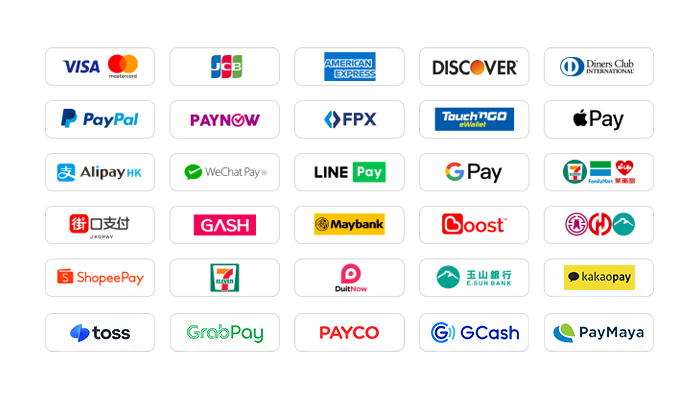
94LIVES is very friendly to Taiwanese users and covers almost all local mainstream non-cash payment methods:
Local payment methods in Taiwan
1. Credit card/debit card: Supports credit cards or debit cards issued by global card groups such as Visa, Mastercard, and JCB.
2. PayPal: A global third-party payment platform that supports PayPal wallet and PayPal card payments.
3. Apple Pay/Google Pay: Supports fast biometric payments through mobile wallets.
4. Jiekou Payment (JKOPAY): Taiwan’s most popular scan-code payment tool.
5. LINE Pay: supports authentication-free and extremely fast payment.
6. Supermarket payment: Support collection and payment through convenience stores such as 7-11 and FamilyMart.
7. Bank transfer: Support bank transfer in Taiwan and Yushan Bank payment.
Global payment methods
1. International credit cards/stored-value cards: Supports Visa, Mastercard, American Express (AMEX) and other card groups around the world.
2. PayPal: a globally accepted third-party payment platform.
3. Apple Pay/Google Pay: Supports fast payments through mobile wallets.
4. Electronic wallets from various places: Support Hong Kong AlipayHK and WeChat Pay HK; Malaysia Touch 'n Go, Boost ; Thailand TrueMoney and many other regional wallets.
5. Online banking transfer: Supports online transfers from local banks in multiple countries.
The website will add/update payment methods in real time to support local payments in more countries.
What currencies does 94LIVES support?
94LIVES supports more than 220 countries and regions around the world. Product display prices are mainly in US dollars, and it also supports multiple mainstream currencies:
1. Major currencies: US dollar (USD), Australian dollar (AUD), euro (EUR), British pound (GBP), Canadian dollar (CAD).
2. Asian currencies: Hong Kong dollar (HKD), Malaysian ringgit (MYR), New Taiwan dollar (TWD), Singapore dollar (SGD).
3. Automatic exchange rate conversion: During the transaction, the exchange rate is automatically adjusted according to the international exchange rate, and the system automatically converts it into US dollars or local currency for payment.
Coverage area
94LIVES services cover major countries and regions around the world, including:
1. America: United States, Canada, Brazil
2. Europe: United Kingdom, Germany, France, Italy, Netherlands, Switzerland
3. Asia-Pacific: Australia, Japan, South Korea, Singapore, Malaysia
Customer service and support
1. 24/7 customer service: 24/7 online customer service to answer users’ questions and handle payment and activation issues.
2. After-sales guarantee: A complete after-sales service system ensures users’ activation experience.
3. Processing time: After payment and contact customer service as soon as possible, orders are usually processed within 1-5 minutes.
By signing up as a "KK Keyboard" member through 94LIVES, you can enjoy convenient global payments, transparent exchange rate conversions and professional customer service support. Whether it’s a flexible monthly card, an affordable annual card, or a lifetime membership that you pay once and enjoy forever, you can instantly unlock all cool skins, remove ads, and download unlimited emoticons, making every input you make full of personality and fun.

 Anonymous User
Anonymous User
Anonymous User
Anonymous User
Anonymous User









RM 5020, 5/F, YAU LEE CENTRE, NO.45, HOI YUEN ROAD, KWUN TONG, HONG KONG
$ 21.09